![New RABco Logo2.png]](https://university.rabcopayroll.com/hs-fs/hubfs/All%20MEDIA-%20Videos%20and%20Images/Logo%20and%20Images/New%20Logo%202021/New%20RABco%20Logo2.png?height=40&name=New%20RABco%20Logo2.png)
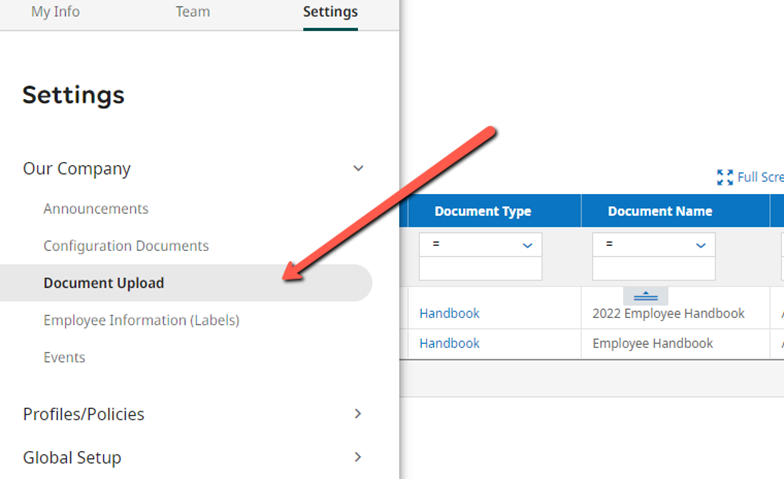
Go to Hamburger Menu > Settings > Our Company > Document Upload
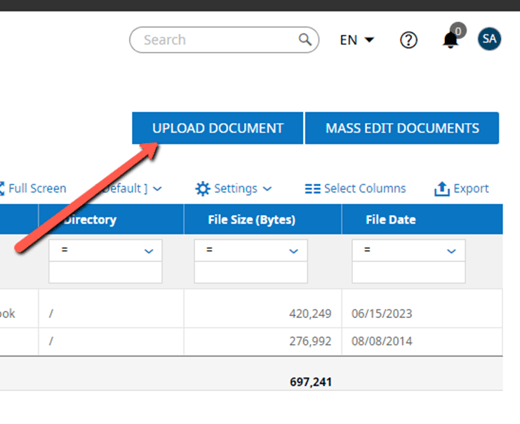
Click Upload Document on the top right
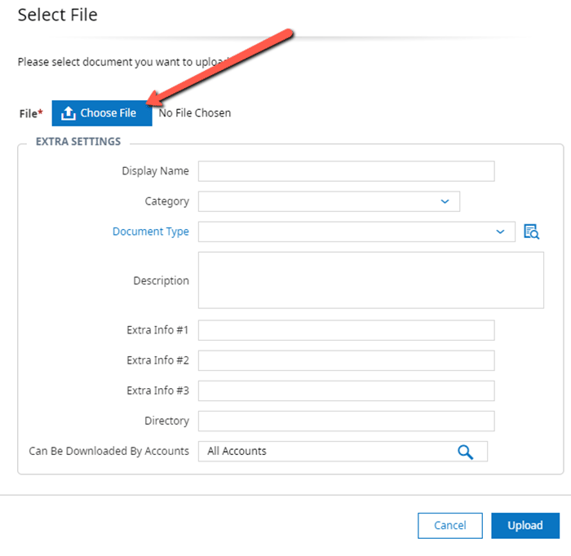
Select your File from your device by clicking choose file
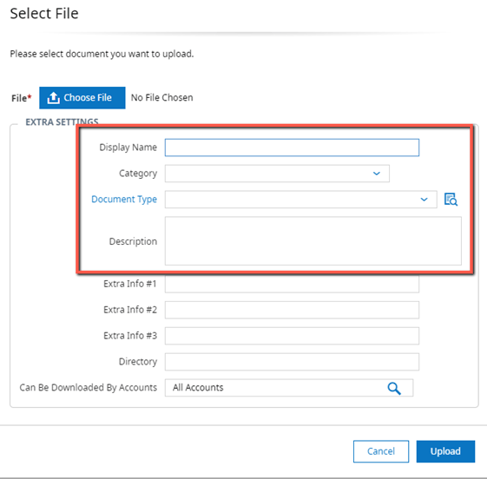
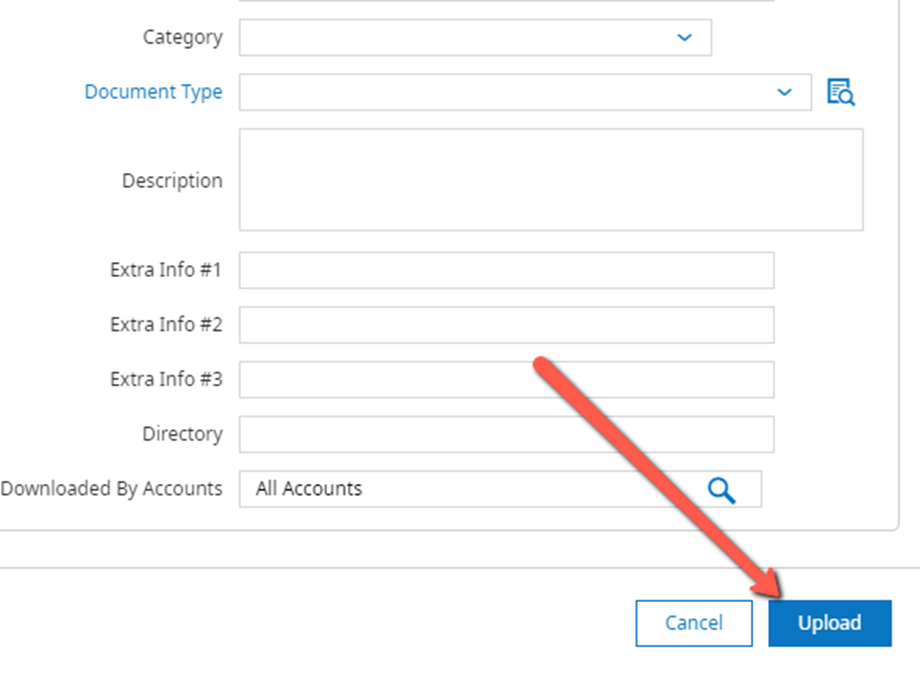
Enter the Display Name, Category, Document Type and Description
Click Upload
Go to Hamburger Menu > Settings > Our Company > Document Upload
Click Upload Document on the top right
Select your File from your device by clicking choose file
Enter the Display Name, Category, Document Type and Description
Click Upload